Points & levels
Viewers earn points by taking part in your stream, then spend them in your points shop. Points are separate for each streamer.
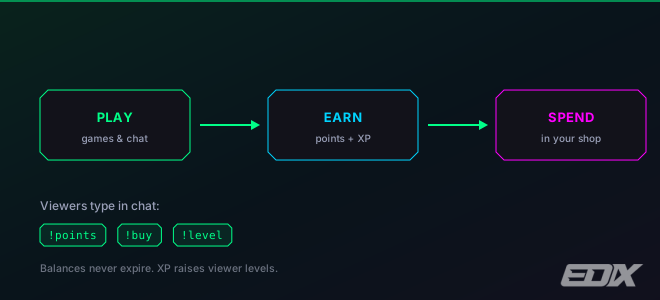
paidHow viewers earn points
- Playing games — every game awards points. Under Points per game on the Dashboard tab you set two numbers per game: the first for playing, the second for winning. Set a game to zero to run it just for fun.
- Chatting — points per message, off by default. Turn it on and set the amount, then tune the guards: a per-viewer cooldown (30s by default), a daily cap per viewer (500), and a minimum message length (3 characters). Emote-only messages don’t count, repeating your last message doesn’t count, and you never earn in your own chat.
- Moderating — your mods earn points for logged mod actions (2 per action by default, capped at 50 a day, at most one award a minute). This is what drives the Active Mod badge.
Points are earned per-streamer: a viewer must be in your chat and play your games. Balances never expire.
starLeaderboard & levels
The on-stream leaderboard ranks viewers by points earned within a rolling window — anywhere from 7 to 90 days, 30 by default. Lifetime balances still accumulate; the window only affects the ranking. You can also start a new season, which makes the board count only from that moment forward.
Points also build lifetime XP, which raises a viewer’s level — 100 XP for level 2, about 12% more for each level after, up to level 100. Only points earned count toward XP (playing, winning, chatting and Kicks rewards); mod points, shop spending and manual corrections don’t. When a viewer levels up, the Points Shop overlay celebrates it on stream. Viewers check theirs with !level.
keyboardViewer commands
| Command | What it does |
|---|---|
!points | Show the viewer's current points balance. |
!level | Show the viewer's level and XP. |
!balance | Same as !points. |
!rank | Same as !level. |
!shop | Re-show the reward list on the overlay (the shop must be open). |
!buy <n | name> | Redeem a shop reward (the shop must be open). A partial name works if it matches one reward. |
Replies appear on the Points Shop overlay, never in chat — game and points feedback is not sent as chat messages. Without that overlay added as a browser source, these commands look like they do nothing. !points, !balance, !level and !rank work whether or not the shop is open.
Viewers can also browse your shop at /shop/<your-channel> and see all their points at edix.online/profile (they sign in with Kick).