Troubleshooting & FAQ
Quick fixes for the things that trip people up. Most issues come down to the channel slug or the overlay URL.
live_tvMy overlay is blank in OBS
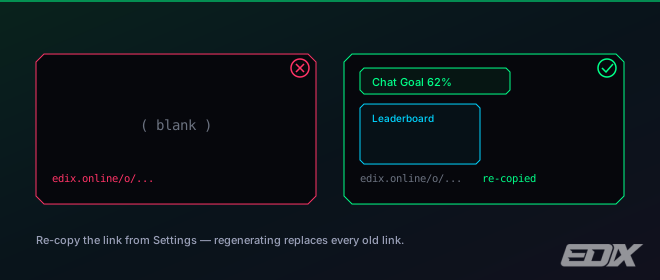
Nearly always, the link in that Browser Source is no longer valid. Re-copy it from Settings → Overlays and paste it back in. Two things invalidate links you already pasted into OBS:
- You turned on Require secure links — older channel-name links (the
?c=<channel>style) stop working from that moment on. - You pressed Regenerate secure links — that rotates every token, so all previous links die at once.
After either action, every OBS source needs its URL re-copied. See Add overlays to OBS.
linkMy channel shows "Disconnected"
The connection badge sits in the account menu in the top bar. It reads Connecting… while the dashboard starts up, which is normal. Disconnected means the live connection dropped — refresh the dashboard.
If you haven't set a channel yet you'll get a full-screen prompt asking for it instead. To change it later, open Settings → Connection — the slug must match your kick.com URL exactly — or connect with Kick, which fills it in for you.
settingsA widget looks frozen
Click Reload overlays in the dashboard footer — or open Settings → Help and use the same button under Maintenance — to refresh every browser source at once. You can also right-click the source in OBS and choose Refresh.
paidPoints aren't updating
Points are per-streamer: a viewer only earns points in the chat where they're playing. Make sure the viewer is in your chat and that the game isn't set to zero under Points per game on the Dashboard tab.
Also note viewers see !points, !level and !buy replies on the Points Shop overlay — the bot never types in chat. Without that overlay added as a Browser Source, those commands look like they do nothing.
extensionThe extension isn't detected
Confirm it's installed from the download page, that you clicked Connect extension in the Auto VIP card under Settings → Connection and pasted the one-time pairing token into the extension, and that a kick.com tab for your channel is open in the same browser. Then reload the dashboard — grants queue up and apply once it connects. Full setup in Real Kick VIP.
keyboardA mod command does nothing
Only the broadcaster and Kick mods can use !e… commands, and each can be toggled off in your dashboard. Check the command is enabled and the person typing it has a mod badge. Exact syntax is in Mod commands.
volume_upText-to-speech makes no sound
Smart TTS needs a Pro or Team plan. If you're using your own Azure voice, check the region field: it must be the short region code in lowercase, like eastus or westeurope. A display name such as East US, or a full endpoint URL, is rejected silently — TTS simply stays quiet with no error.
mailI never got the verification or reset email
Check spam first. Your account still works while unverified — only the onboarding checklist stays open. If nothing arrives at all, email delivery may not be configured on this instance; reach out through support below and we'll confirm your address manually.
chatStill stuck?
Open Settings → Help to reach a human, or ask the in-app support assistant — it answers from the same facts these docs are built on.